Common Mistakes When Designing OMR Answer Sheets
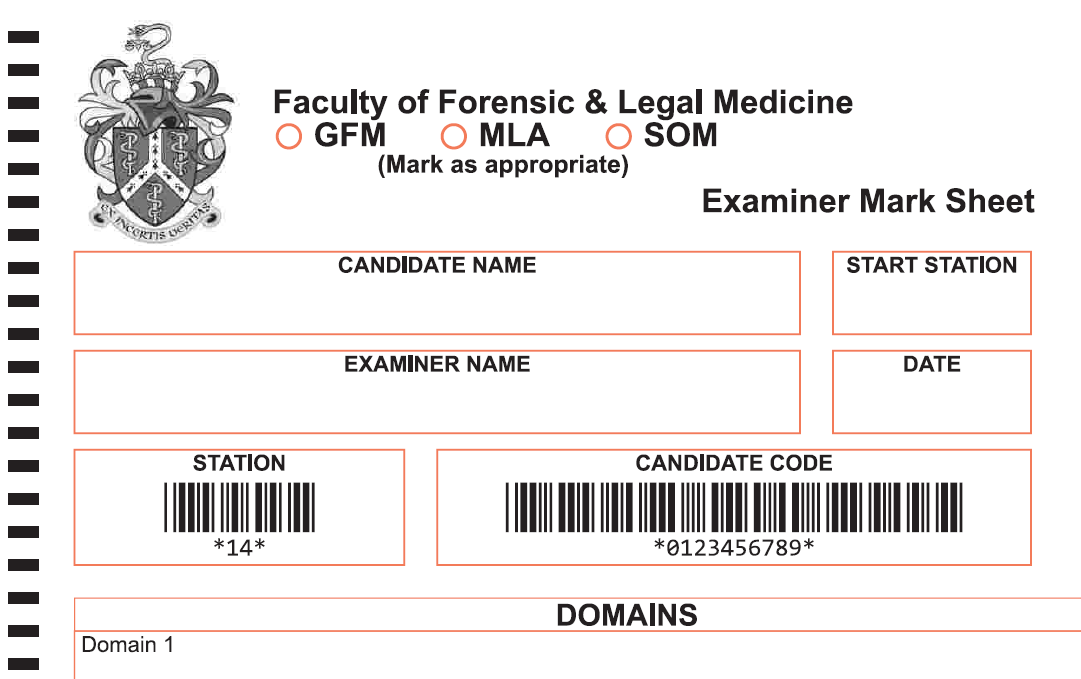
Designing an OMR answer sheet is not simply a case of putting questions and answer boxes onto a page.

The form needs to be easy for candidates to complete and, just as importantly, easy for OMR software and scanners to read accurately.
Poor design can lead to scanning errors, incorrectly captured answers and unnecessary processing problems. By considering the scanning process from the beginning, many of these issues can be avoided.
Here are ten of the most common mistakes to avoid when designing OMR answer sheets.
1. Designing an OMR form like a normal document
An OMR answer sheet needs to be designed around the data you want to capture.
The position, size and spacing of answer areas are important because the OMR software needs to identify each field and understand what it represents.
A form may look perfectly clear to a person but still be unsuitable for reliable OMR scanning.
2. Making answer boxes too small or too close together
Trying to fit too many questions onto one page can result in cramped answer areas.
Candidates need enough space to mark their answers clearly, while the scanner needs sufficient separation between fields to distinguish individual marks.
A good OMR form design balances space, readability and scanning accuracy. It is usually better to have a clean, well-spaced layout than to squeeze everything onto the fewest possible pages.
3. Poor alignment and positioning
OMR systems rely heavily on the position of elements on the page. Inconsistent spacing or poorly aligned answer fields can make forms more difficult to process.
Questions, answer options and identification fields should follow a consistent layout throughout the form.
Registration and alignment features can also help the scanning process deal with minor variations in how a sheet is printed or scanned.
4. Choosing unsuitable colours
Colour selection is an important part of OMR form design.
Traditional OMR forms often use colours that can be removed or ignored by the scanning process, leaving the candidate's marks visible to the reader.
Using colours without considering how they will interact with the scanner can cause problems. The artwork, printing process and OMR scanning system should therefore be considered together.
5. Overlooking paper and print quality
A well-designed digital file does not guarantee a good OMR form.
Paper quality, printing clarity, cutting and trimming can all affect scanning. For example, poor-quality printing may produce faint lines or inconsistent areas, while unsuitable paper can create problems during handling or scanning.
For this reason, it is important to test the printed form, rather than relying solely on the digital artwork.
6. Forgetting the candidate experience
An OMR answer sheet has two users: the person completing it and the system processing it.
Candidates should be able to quickly understand:
- Where to enter their candidate or student number
- Which area relates to each question
- How to mark their answers
- What to do if they change an answer
- Which instructions apply to them
Clear instructions and a logical layout can significantly reduce avoidable errors.
7. Not considering multiple pages
Some assessments require more questions than can comfortably fit on a single page.
If an OMR answer sheet is double-sided or uses multiple pages, the design needs to account for how the pages will be scanned and associated with the correct candidate or assessment.
Planning the complete form structure before printing can prevent problems later.
9. Designing before considering the OMR software
Once an OMR form has been designed, the software needs to know where the different fields are and what information they contain. This process is often referred to as form decoding.
It is therefore important to consider the OMR software and data-capture process during the design stage, rather than treating them as separate steps.
10. Failing to test the finished form
One of the biggest mistakes is assuming that an OMR answer sheet will work because it looks correct on screen.
Before a large print run, the complete process should be tested:
Design → Print → Complete → Scan → Process → Check
Testing with real printed forms can identify issues with layout, marking, printing or scanning before they affect hundreds or thousands of completed answer sheets.
The key is to think about the entire process from the beginning, rather than treating OMR scanning as something that happens after the form has been designed.
Need help with OMR form design?
Whether you are creating an examination paper, assessment, survey or other data-capture form, getting the OMR answer sheet design right can save time and prevent processing problems.
MurrayData can help with the design and production of OMR forms, including single-sided, double-sided and multi-page formats.
Find out more about OMR form design at MurrayData
Contact us for advice, support, or to find out how we can help you with form design.